Step-By-Step Guide
Display your American Homebrewers Association member card when redeeming discounts or bragging to your buds with these easy steps:
From Your Desktop (scroll down for mobile instructions)
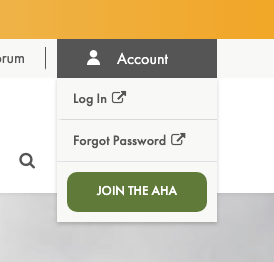
1. Log in by clicking the Account dropdown in the top right of the website and selecting Log In.
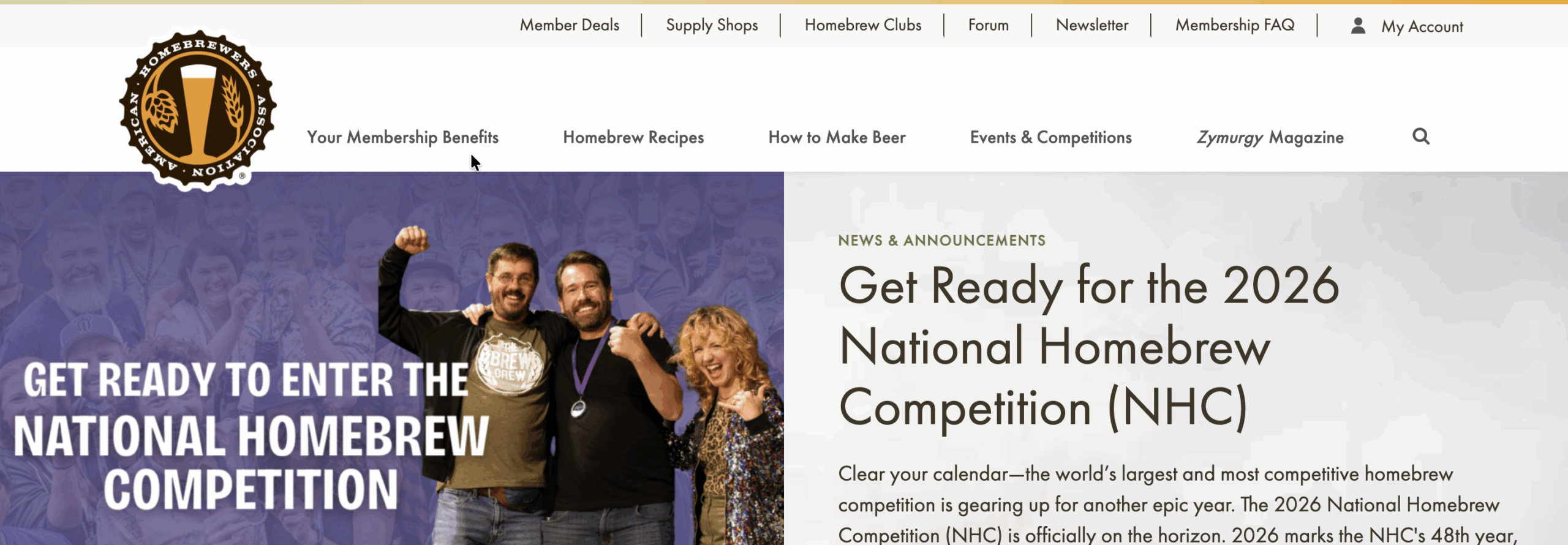
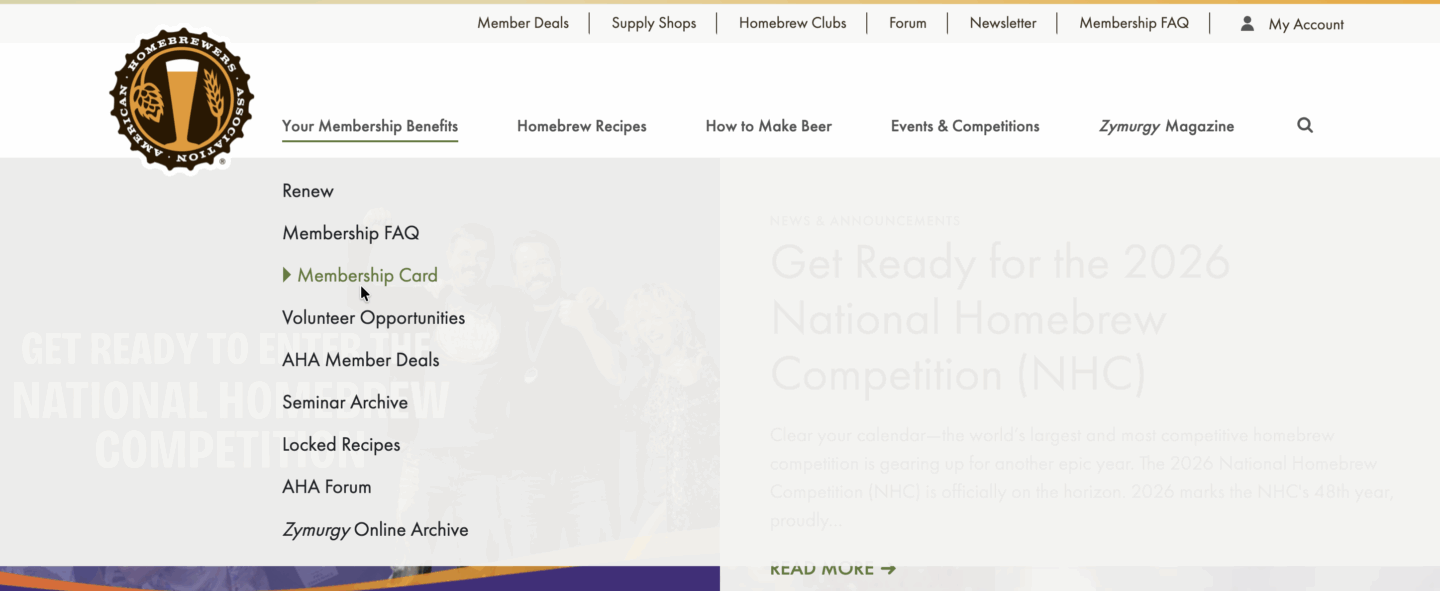
2. After authenticating, you will be redirected back to the homebrewersassociation.org website. Click Your Membership Benefits in the top-left of the page, and then select Membership Card.
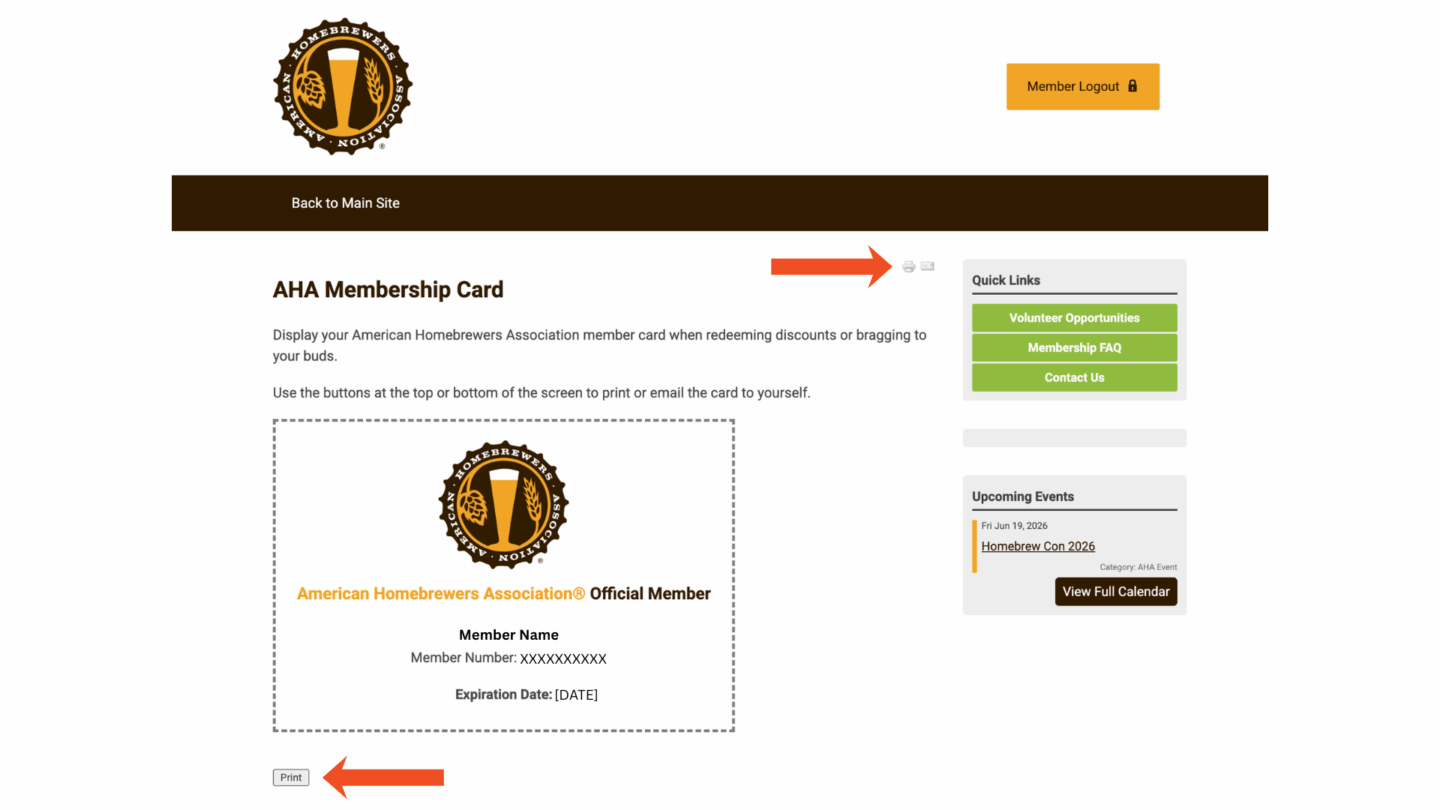
3. You will be taken to a screen displaying your membership card. You can print or download the card using the link underneath the card.
From Your Mobile Device:
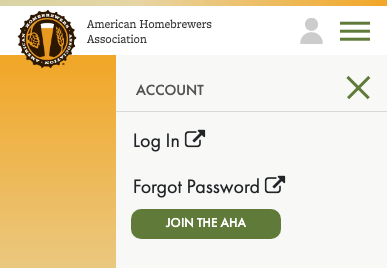
1. Log in by tapping the user icon in the top right of the screen and selecting Log In.
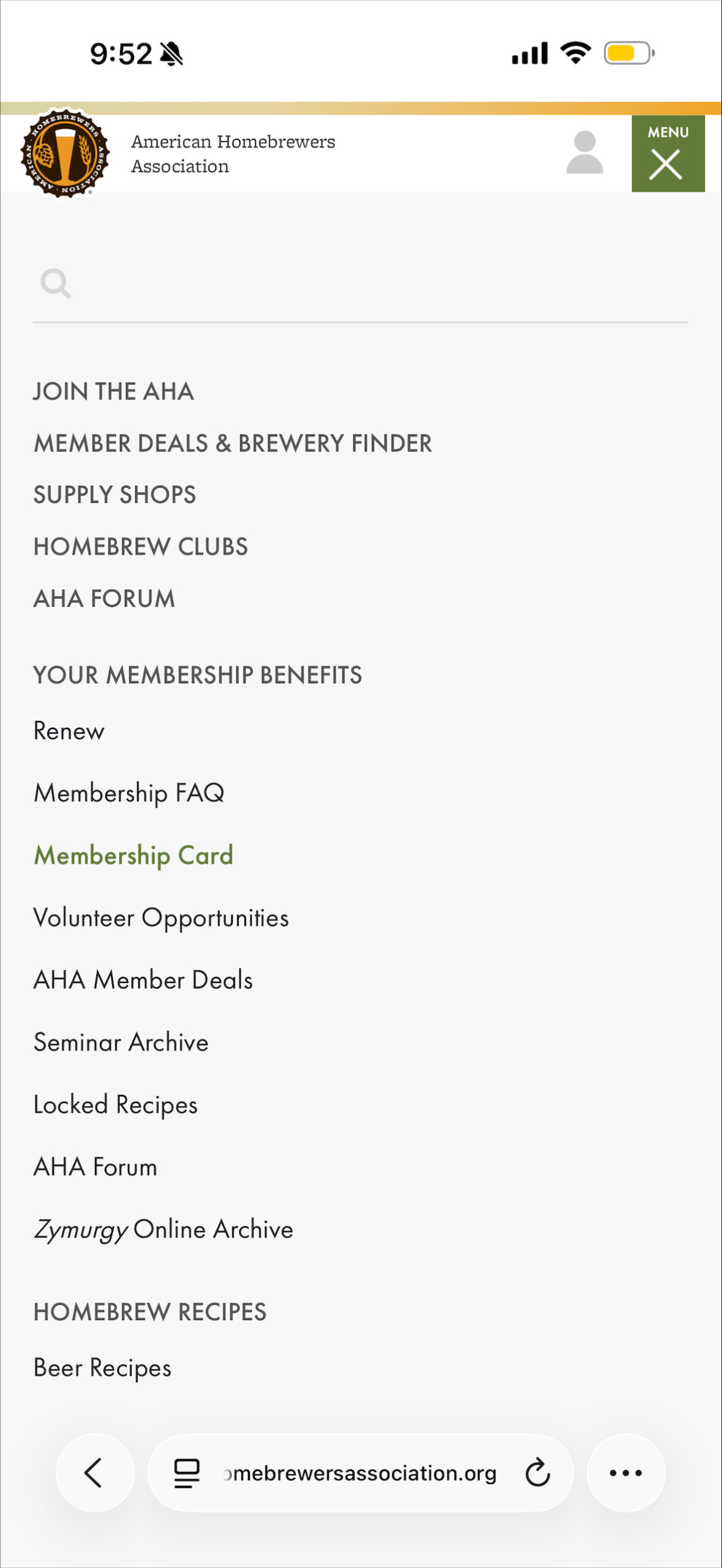
2. After authenticating, tap the menu (stacked lines) in the top right of the screen and select Membership Card under Your Membership Benefits.
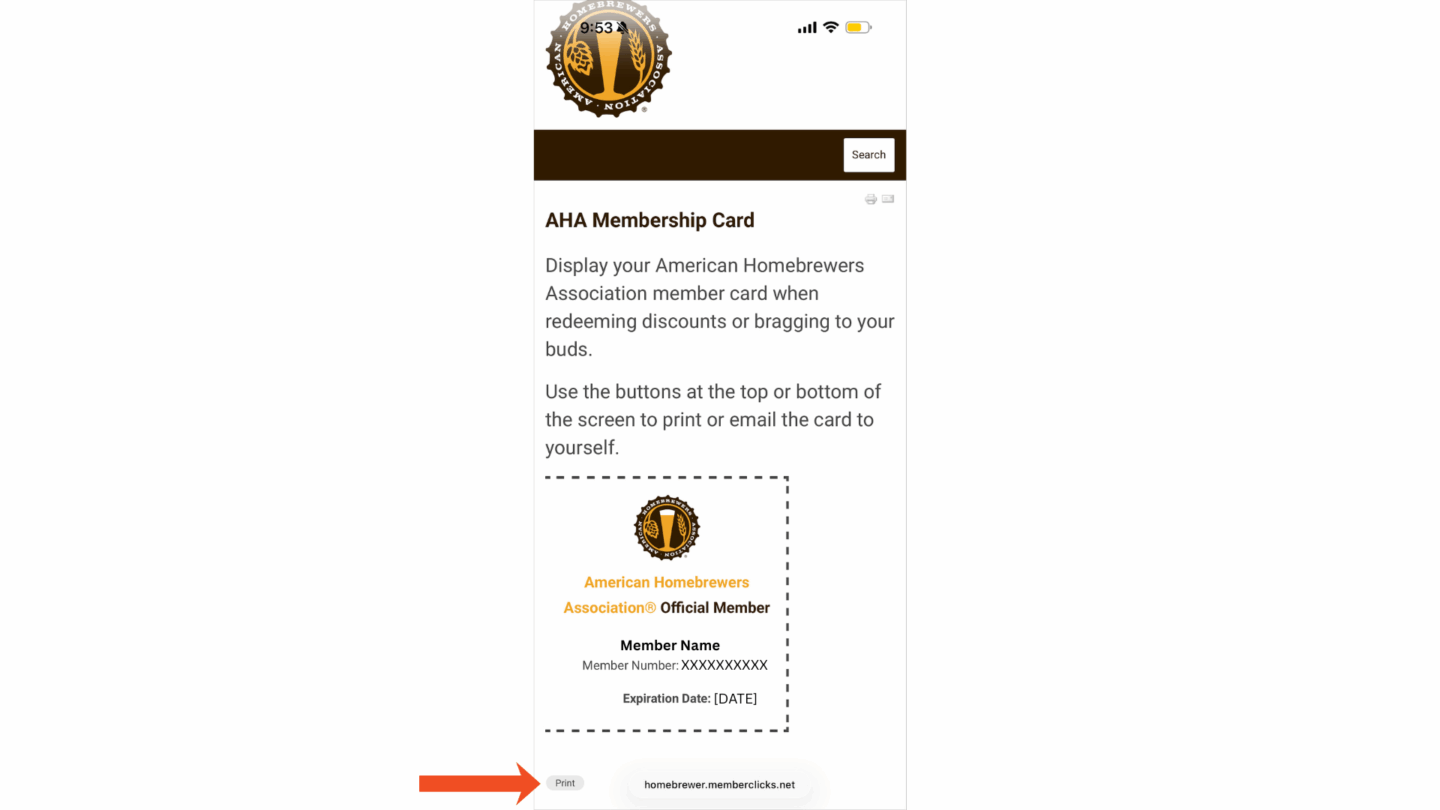
3. You will be taken to a screen displaying your membership card. You can download the card using the print button underneath the card. After clicking the print button, you can also take a screenshot and keep your membership card in your photos for easy access.





Share Post